 Searchspeare
Translation is fun again!
Your new coworker managing the boring stuff. Searchspeare combines a powerful, user-friendly editor with deterministic AI that ensures consistent results beyond just translation.
Meet Searchspeare: The new CAT tool in town
Another CAT tool? Was it necessary? Well, we believe so. Searchspeare is not just another CAT tool; it's a lightning-fast web app designed to make translators' lives easier — without the clutter of irrelevant context — because we think every other CAT tool is getting what really matters to translators wrong.
Automating the boring stuff
Translation is not a deterministic task in essence, because it’s linked to human creativity and taste. Every translator has its own style — and that’s what makes each translation unique.
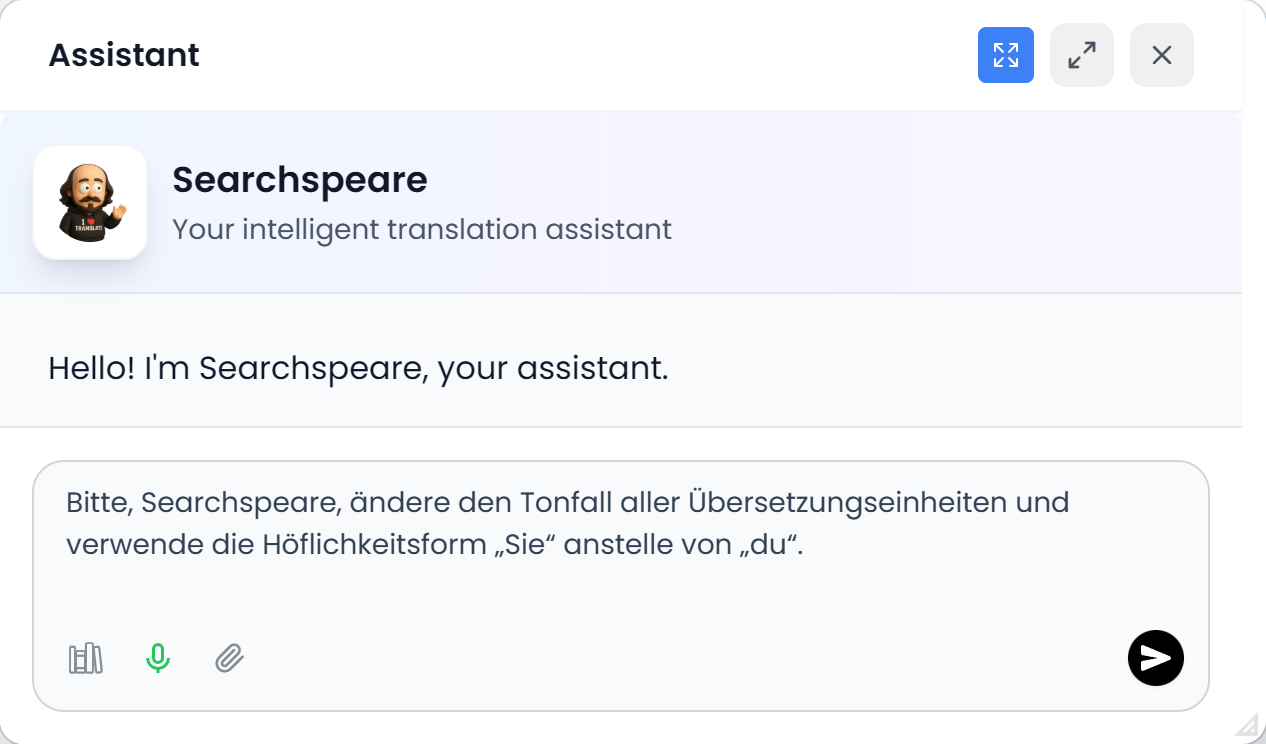
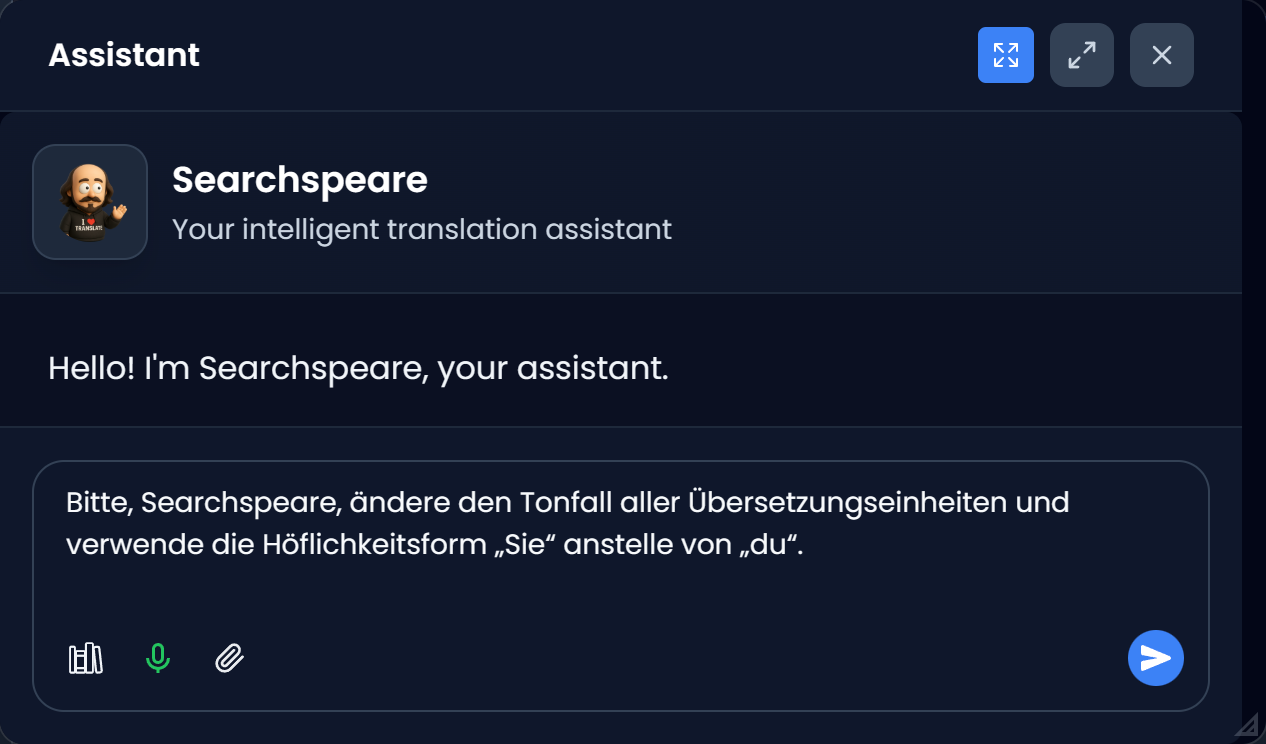
However, there are many repetitive and boring tasks that can be automated and Searchspeare will gladly take care of them for you: changing the use of formal vs informal address (T‑V distinction), fixing tags, changing date formats, or ensuring consistency in terminology.
Formal ↔ informal tone (T‑V)
Switch tone across all segments in one go — and keep it consistent from start to finish.
Change date formats
Convert date formats across the entire document without hunting them down segment by segment.
Terminology consistency
Keep specific terms in the original language or enforce preferred variants — reliably and at scale.
Features
Everything you need to translate faster and better.
Powerful, user-friendly editor
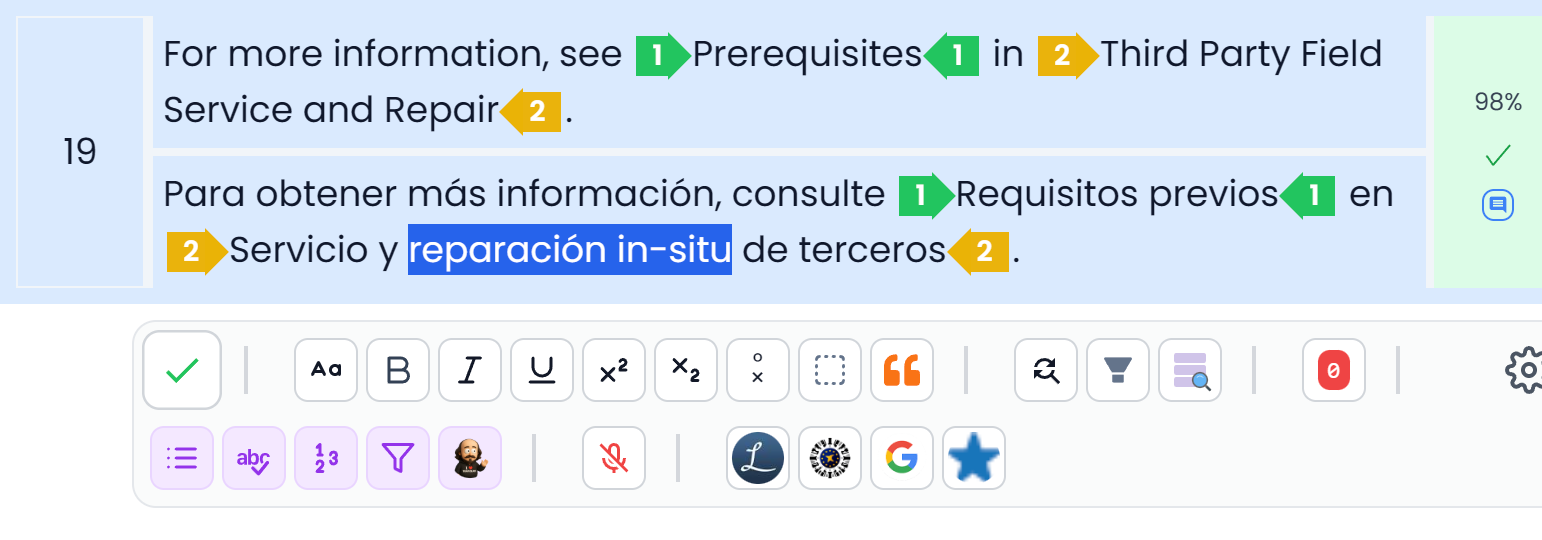
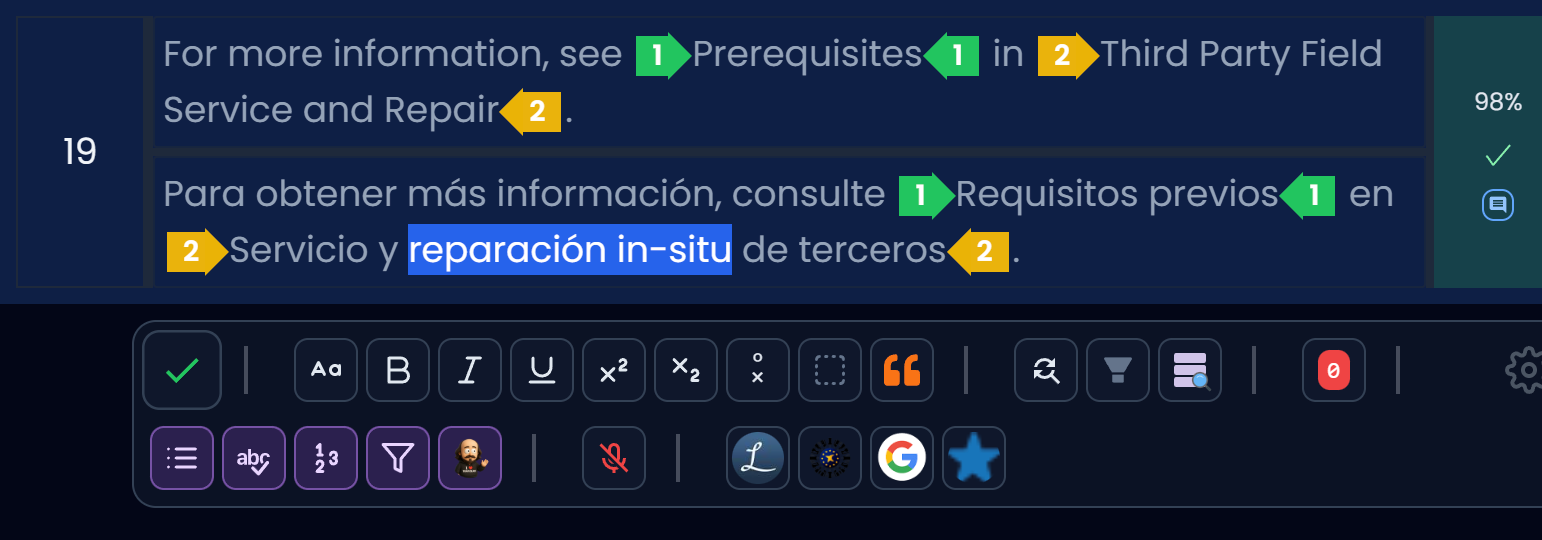
Searchspeare’s strength is its editor. It enables fast, efficient writing with mini tools right in the segment toolbar. Whether you’re a shortcuts ninja or prefer clicking buttons, everything is right there.
Integrated AI, used deterministically
Searchspeare includes AI directly in the editor. Use deterministic actions that behave the same way every time, so you get consistent and reliable results beyond just translation.
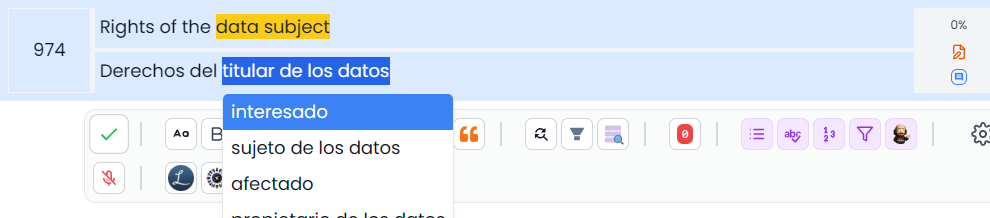
Surgical editions
Apply pinpoint edits across a selection: swap a word for a better synonym, adjust tone, normalize dates, fix tags, or keep terms in the original language — without rewriting whole segments.

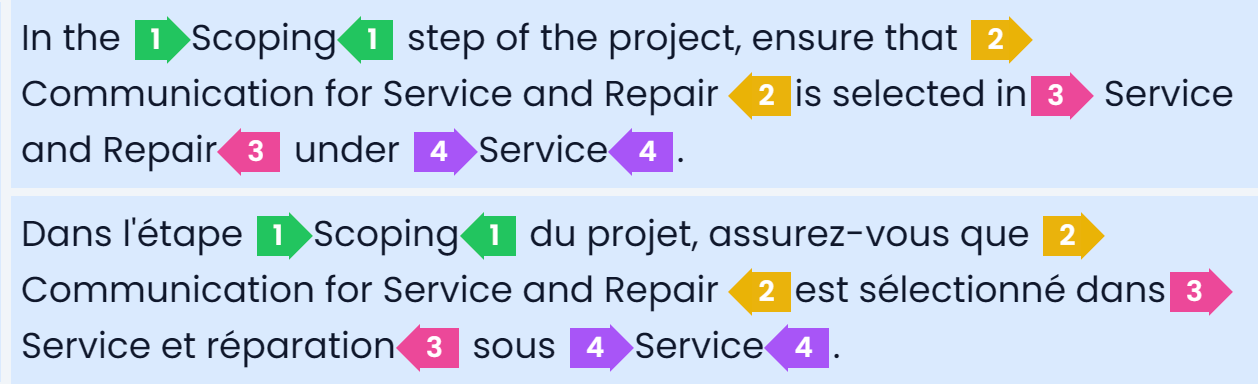
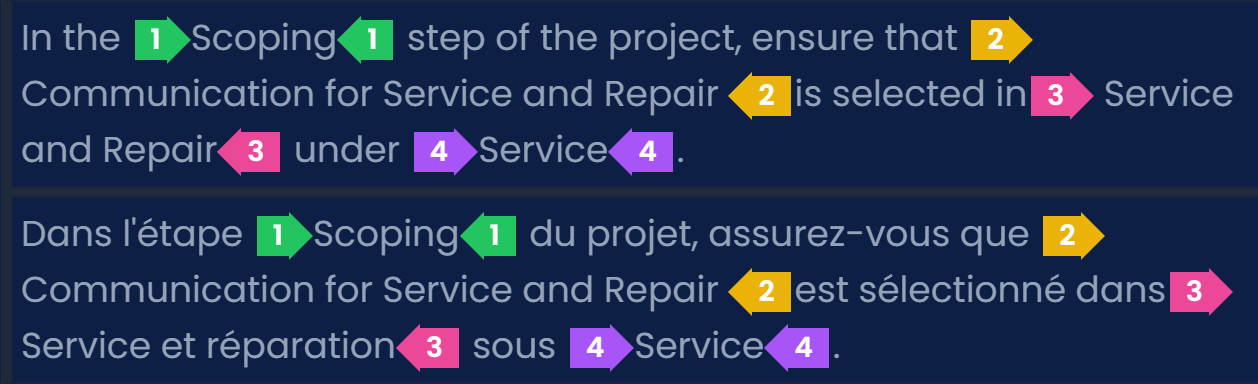
Advanced tag handling
Tags are often frustrating. Searchspeare offers advanced tag handling: automatic fixes, quick detection of missing tags, and clear color differentiation.
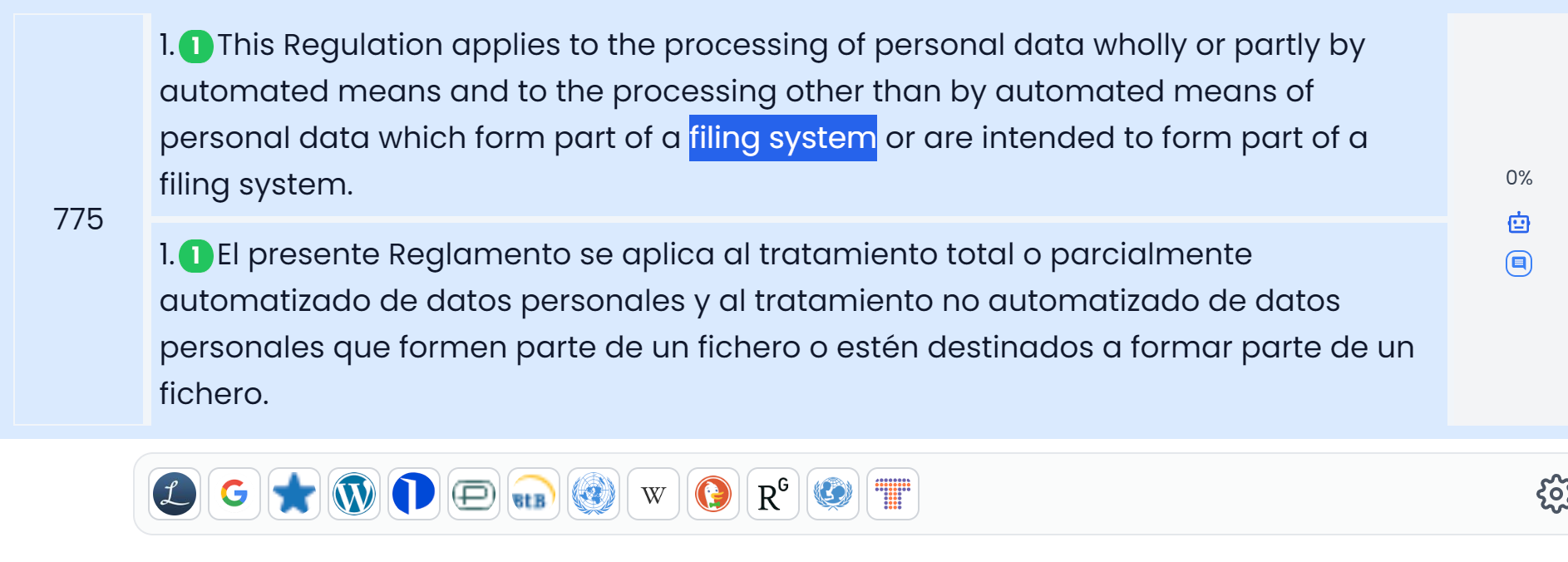
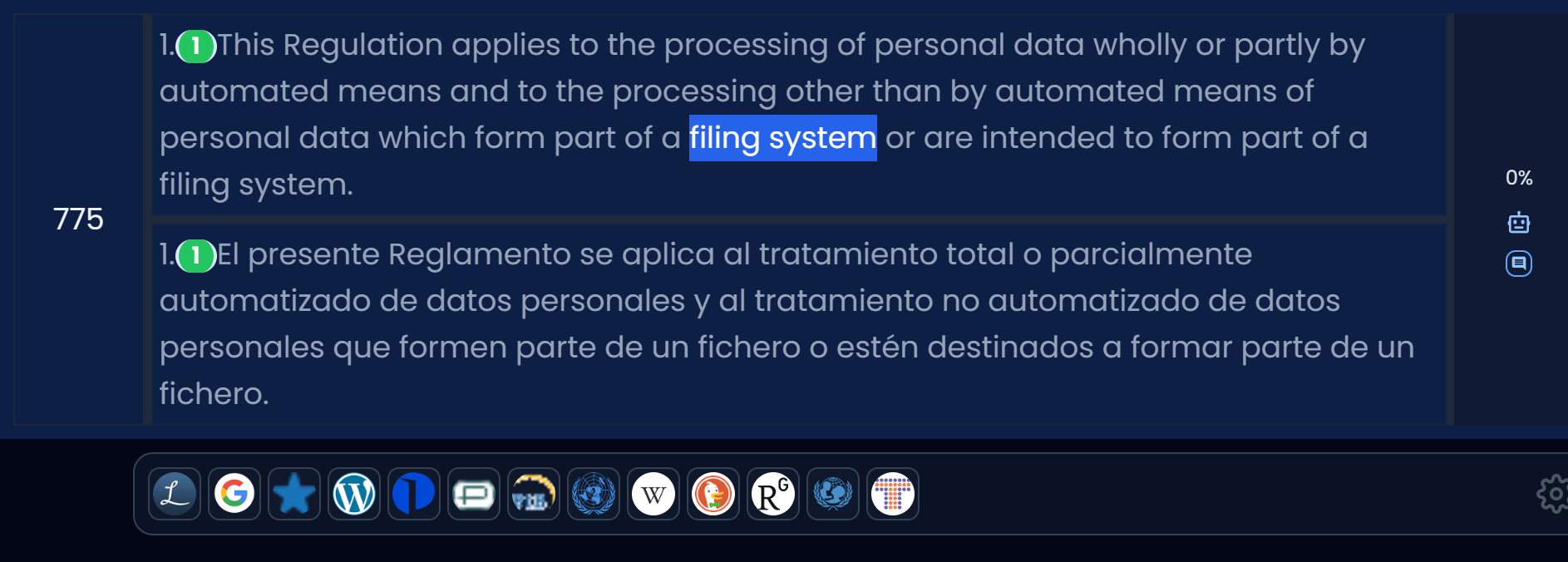
Multi Search
Open your favorite search engines right from the editor by selecting a term. Launch multiple engines at once as groups, switch between them easily, and even create custom search engines in a couple of clicks.
Glossary management and extraction
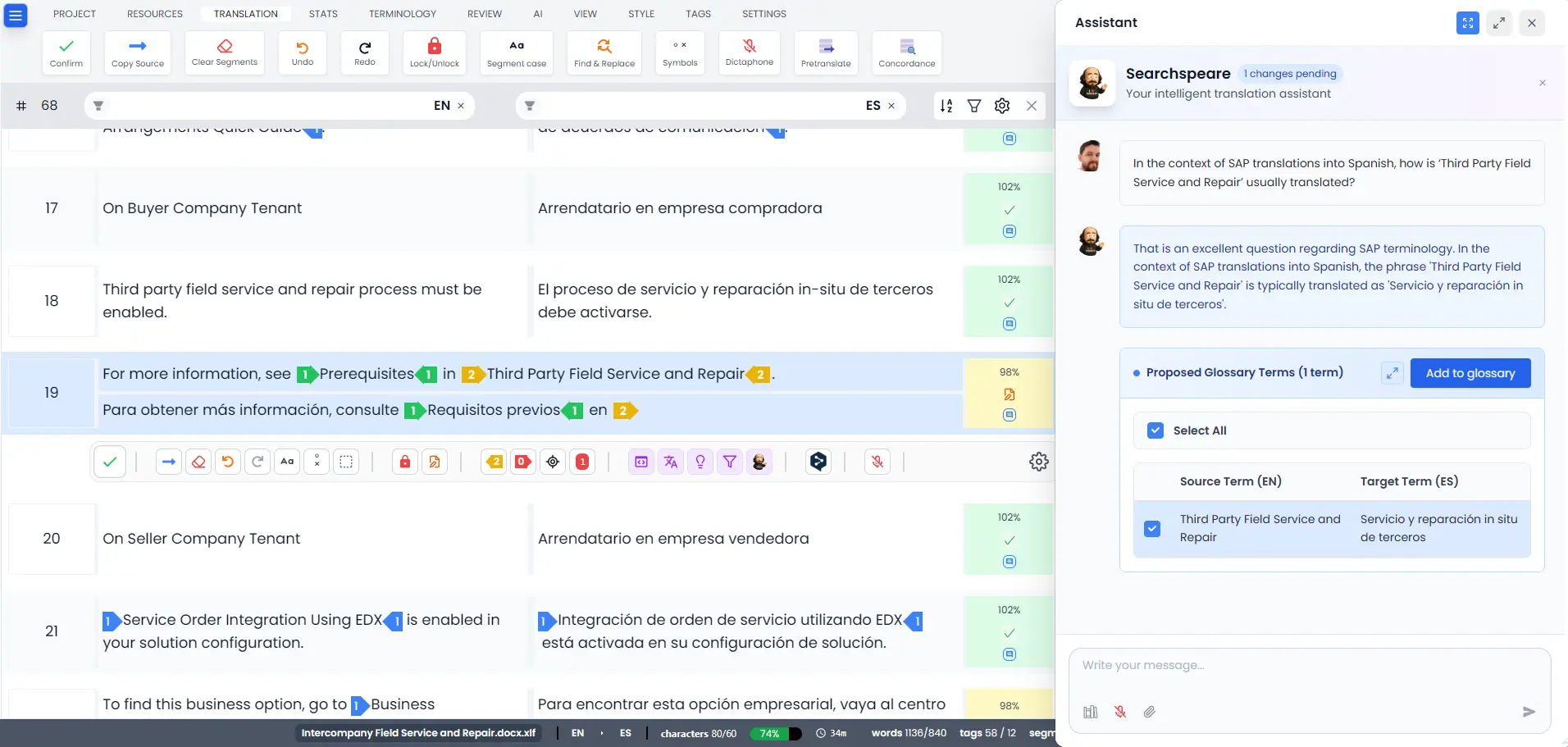
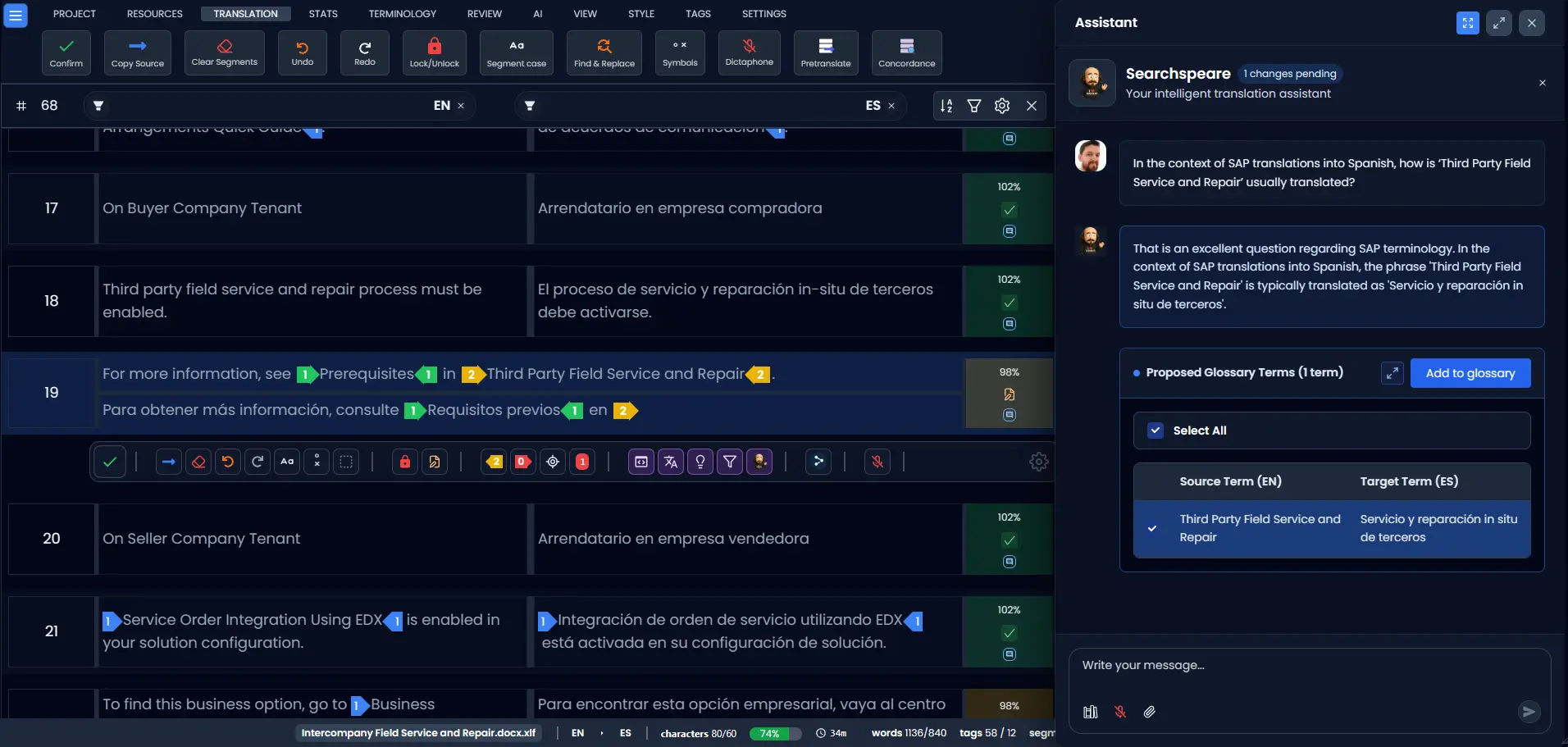
Create and maintain glossaries, extract terms from projects, and keep preferred terminology consistent across your work. You can also create automatic glossaries from your translations, or from existing files or even from text copied from the internet.
Extracting terminology
Beautiful charts
Earnings over time, top clients, language pairs, client acquisition, expertise areas, revenue concentration, workload distribution, productivity, time tracking.


Other features
And, of course, the kind of fit-and-finish you expect from a desktop CAT tool — but in the browser!
- Filtering Tri-state filters: include / exclude (negate) / ignore.
- Find & replace A powerful find and replace function across segments, not just the active editor.
- Undo / redo Undo/redo your changes safely across segments, so you don’t have to worry about mistakes.
- Alternatives Compare options side-by-side and pick the best phrasing for your context.
- Keyboard shortcuts A complete suite of shortcuts to keep you in flow.
- Offline mode Keep working when the connection isn’t perfect — sync when you’re back online.
- No pagination View all segments without having to click through pages.
- Smooth scrolling Navigate large projects comfortably with smooth, responsive scrolling.
- Native performance Fast interactions that feel like a desktop app — because your CAT tool should.
Run your translation business with Searchspeare
Quotes, invoices, clients, and projects — all in one place.
Quote management
Create quotes quickly, reuse pricing presets, and keep a clear history of what you sent and when.
Invoicing
Turn approved work into invoices in seconds and keep your billing workflow tidy from start to finish.
Client management
Store client details, preferences, and notes so every project starts with the right context.
Project tracking
Track what’s in progress, what’s delivered, and what’s due — without juggling extra spreadsheets.
Loved by Translators
"Finally, a CAT tool that doesn't look like it was built in 1995. The interface is a joy to use."
"The AI context suggestions are scary good. It saves me hours of research every week."
"Searchspeare is the most reliable tool I've used. The tag handling is superior."
"The offline mode is a game changer. I can work on flights and trains without any issues."
"I love the tri-state filters. Finding problematic segments in large projects is now effortless."
"The preview modal saved me from pushing broken translations multiple times. It's a must-have feature."
FAQ
Is it free?
We offer a free trial for all users. After that, we have flexible plans for freelancers and agencies.
Do I need to install anything?
No, Searchspeare is a web-based application. You can access it from any browser, anywhere.
Is my data safe?
Yes. We use enterprise-grade encryption and follow strict privacy protocols (SOC2).
Can I work offline?
Yes! Searchspeare supports offline mode and syncs your work when you reconnect.
